While Artificial Intelligence dominated headlines in 2024, the year saw a wealth of technological advancements that didn’t rely on algorithms and neural networks. These innovations spanned diverse fields, from medicine and energy to space exploration and consumer electronics. Here’s a look at some of the most noteworthy AI-free tech breakthroughs of 2024:
1. Brain-Computer Interfaces Take a Leap Forward:
Researchers at Stanford University and the BrainGate consortium achieved a remarkable feat in 2024, enabling a paralyzed patient to communicate at a record speed of 62 words per minute using a brain-computer interface (BCI). This breakthrough, utilizing implanted electrodes and sophisticated decoding software, offers renewed hope for individuals with severe speech impairments. While AI played a role in earlier BCI developments, this particular advancement focused on refining the signal processing and decoding techniques, demonstrating the power of bioengineering and neuroscience.
2. Quantum Computing Makes Strides:
Although still in its nascent stages, quantum computing witnessed significant progress in 2024. Companies like IBM and Google continued to push the boundaries of qubit technology, achieving greater stability and coherence. While practical applications remain on the horizon, these advancements lay the groundwork for future breakthroughs in fields like medicine, materials science, and cryptography. Notably, these advancements were primarily driven by progress in hardware and quantum algorithms, not by AI itself.
3. High-Altitude Platform Stations (HAPS) Soar:
2024 saw increased interest in High-Altitude Platform Stations (HAPS), systems operating in the stratosphere to provide communication and observation capabilities. These platforms, which include balloons, airships, and fixed-wing aircraft, offer advantages over traditional terrestrial towers and satellites, particularly in remote areas. Advancements in solar power, battery technology, and lightweight materials have made HAPS a viable alternative for expanding connectivity and monitoring environmental changes.
4. Elastocalorics: A Cool New Cooling Solution:
Elastocalorics, a cooling technology that utilizes the properties of shape-memory alloys, gained traction in 2024. These materials can absorb and release significant amounts of heat when deformed, offering a potentially more efficient and environmentally friendly alternative to traditional refrigeration. Researchers made progress in developing elastocaloric devices, paving the way for applications in air conditioning, electronics cooling, and even medical devices.
5. Gene Editing with CRISPR Continues to Evolve:
CRISPR-Cas9 gene editing technology continued to advance in 2024, with researchers refining its accuracy and efficiency. While ethical concerns remain, CRISPR holds immense potential for treating genetic diseases and developing new disease-resistant crops. These advancements focused on improving the delivery and targeting of CRISPR systems, not on AI-driven applications.
These are just a few examples of the many exciting technological advancements that emerged in 2024 independent of AI. While AI undoubtedly plays a transformative role in many fields, it’s important to recognize the continued progress driven by human ingenuity and scientific exploration across diverse disciplines.
Sources:
Brain-Computer Interface: Stanford University News Service, “Brain-to-text breakthrough: Paralyzed man sets record communication speed,” January 10, 2024.
Quantum Computing: IBM Research Blog, “IBM Unveils 1121-Qubit ‘Condor’ Processor, Pushing the Boundaries of Quantum Computing,” November 15, 2024.
HAPS: World Economic Forum, “Top 10 Emerging Technologies of 2024,” June 26, 2024.
Elastocalorics: ScienceDaily, “Elastocaloric Cooling: A Promising Alternative to Vapor Compression Refrigeration,” March 8, 2024.
CRISPR: Nature, “CRISPR technology: Applications and ethical considerations,” October 28, 2024.
As of late, developments and advancements in AI seem to be coming at a feverish pace with seemingly no end in sight. From the major players like OpenAI, Google, Meta, and even Apple, down to the onslaught tools from companies formed seemingly out of nowhere, it literally seems there is no end on the horizon for AI.
However, if you’re like me, you find it all fascinating and often downright cool. But, like me, you may also inevitably find yourself pondering the same question that runs through my head from time to time: “Is it worth it?”
As a person who has always been fascinated with, and who has a career life in technology, I still hold on to the belief that technology should always help human life and not harm or replace it. So, in trying to keep up with all things AI, I have written about and spoken to professionals about many of the potential human-helping good things that AI can help with. However, in light of all that goes into these tools I can’t help but continue to ask the question “Is it worth it?” Not that I’m jumping on the “gloom and doom” bandwagon, but we simply can’t ignore the major negative side effects of AI technology and its development.
Generative AI, specifically models such as ChatGPT, Bing Copilot, and those powered by OpenAI, require vast amounts of energy for training and operation, raising concerns about their environmental impact.
The training process alone for a large language model like ChatGPT-3 can consume up to 10 gigawatt-hours (GWh) of power, which is roughly equivalent to the annual electricity consumption of over 1,000 U.S. households. This energy consumption translates to a substantial carbon footprint, estimated to be between 55 and 284 tons of CO2 for training ChatGPT-3 alone, depending on the electricity source.
Running these models also demands significant energy, albeit less than training. A single ChatGPT query can consume 15 times more energy than a Google search query. As AI, particularly generative AI, becomes more integrated into various sectors, the demand for more data centers to handle the processing power will increase. Data centers already account for about 1–1.5% of global electricity consumption and 0.3% of global CO2 emissions. This demand is projected to escalate, potentially leading to global AI electricity consumption comparable to the annual electricity consumption of Argentina and Sweden by 2027. Additionally, water consumption for cooling these data centers is another environmental concern, with estimates indicating global AI demand could be responsible for withdrawing 4.2–6.6 billion cubic meters of water annually by 2027.
The ICT sector, encompassing AI infrastructure, contributes to about 2% of global CO2 emissions. This contribution is expected to rise proportionally with the increasing use and development of generative AI models. While the financial aspects of these operations are substantial, with estimated daily operating costs for ChatGPT reaching $700,000, the environmental costs, particularly in terms of energy consumption and carbon footprint, are significant and warrant attention.
Electronic waste (e-waste) from AI technology includes harmful chemicals like mercury, lead, and cadmium.
These chemicals can leach into the soil and water, posing risks to human health and the ecosystem. The World Economic Forum (WEF) predicts that e-waste will exceed 120 million metric tonnes by 2050. Managing e-waste responsibly and recycling it is crucial to prevent environmental damage and limit the release of toxic substances. Stricter regulations and ethical disposal methods are necessary to handle and recycle e-waste associated with AI safely.
Global Impact of AI Training on Water Resources
Research indicates that global AI demand could lead to the withdrawal of 4.2 – 6.6 billion cubic meters of water by 2027. This projection surpasses the total annual water withdrawal of half of the United Kingdom. The issue of AI’s impact on water consumption, alongside other potential environmental effects, is often overlooked. The lack of data shared by developers contributes to this issue.
Water Consumption of ChatGPT
One report states that ChatGPT-3 consumes approximately 800,000 liters of water per hour. This amount of water is enough to fulfill the daily water needs of 40,000 people.
Factors Contributing to Water Consumption in Data Centers
Data centers, which house the servers and equipment for storing and processing data, require significant amounts of water for cooling and electricity generation. The increasing demand for AI services leads to a higher demand for data centers. Data centers account for about 1 – 1.5% of global electricity consumption and 0.3% of global CO2 emissions.
Reducing the Environmental Impact of AI
Several strategies can be implemented to reduce the energy consumption and environmental impact of AI systems like ChatGPT.
Enhancing the efficiency and design of hardware and software used for running AI models. One example is using liquid immersion cooling as opposed to air cooling, which can lower heat and minimize carbon emissions and water usage in data centers.
Powering data centers with renewable energy sources like wind, solar, and hydro power. Some countries, such as Norway and Iceland, have low-cost, green electricity due to abundant natural resources. Taking advantage of this, numerous large organizations have established data centers in these countries to benefit from low-carbon energy.
Limiting the use of AI models to essential and meaningful applications, avoiding their use for trivial or harmful purposes.
Increasing transparency and disclosing water efficiency data and comparisons of different energy inputs related to AI processes.
Need for Transparency and Accountability
There is a call for increased transparency regarding operational and developmental emissions resulting from AI processes. This includes disclosing water efficiency data and making comparisons between different energy inputs. Open data is essential to compare and assess the true environmental impacts of various language models, as well as the differences between them. For instance, a coal-powered data center is likely to be less energy-efficient than one powered by solar or wind energy. However, this assessment requires access to open data. A comprehensive evaluation should consider economic, social, and environmental factors. Community engagement, local knowledge, and individual understanding can be influential in persuading developers to share this data. Increased awareness of potential environmental impacts, along with the more widely discussed ethical concerns surrounding AI, could strengthen individual calls for a more accountable and responsible AI industry.
All said and done, and in consideration of the information that is available, it is difficult at best to answer the question as to whether or not AI will ever be “worth it”. In my opinion, we need more tangible, positive outcomes in order to truly have an answer. However, at this point in history, I’m finding it harder and harder to believe that there will ever be a viable payout to justify the amount of resources that are going into the development stages alone. I’m not calling for an overall halt to all AI development and usage (we’re far beyond that being a sensible answer), but I do believe we as a collective whole should agree to more efficient, less wasteful paths forward.
Artificial intelligence (AI) is no longer a futuristic concept; it’s woven into our daily lives, influencing how we think, connect, and feel. From virtual assistants that streamline tasks to AI-driven therapy platforms, this technology is reshaping the human experience. But what does this mean for our mental health, relationships, and overall well-being?
Cognitive Shifts and Behavioral Adaptations
Research in cognitive science suggests that AI is subtly altering our cognitive processes. The constant stream of information from AI-powered devices can lead to shorter attention spans and a reduced ability to focus deeply on tasks. Moreover, our reliance on AI for decision-making may diminish our critical thinking skills, as we become accustomed to algorithmic guidance.
However, AI also offers cognitive enhancements. Tools like language learning apps and brain training games can improve memory and cognitive flexibility. AI-powered personalization algorithms can also curate information and experiences tailored to our individual preferences, potentially boosting engagement and learning.
Mental Health: Challenges and Opportunities
The rise of AI has sparked both concerns and optimism regarding mental health. On one hand, studies show a correlation between excessive social media use (often driven by AI algorithms) and increased rates of anxiety and depression. Additionally, the fear of job displacement due to automation can contribute to stress and feelings of insecurity.
Conversely, AI is revolutionizing mental health care. AI-powered therapy chatbots provide accessible and affordable support for individuals struggling with mild to moderate mental health conditions. Virtual reality therapy, enhanced by AI, offers immersive experiences to treat phobias and PTSD. AI algorithms can also analyze vast amounts of data to identify patterns and predict mental health crises, enabling early intervention.
Transforming Interpersonal Relationships
AI is changing the way we connect with others. Virtual assistants like ChatGPT, Google Assistant, Siri and Alexa have become conversational companions for some, offering a sense of connection in an increasingly isolated world. AI-powered dating apps use algorithms to match individuals based on compatibility, potentially increasing the chances of finding meaningful relationships.
Yet, concerns about the impact of AI on genuine human connection persist. Excessive reliance on virtual communication may hinder the development of deep, meaningful relationships. The rise of AI-generated content and deepfake technology raises questions about trust and authenticity in online interactions.
Real-World Stories: AI’s Impact on Individuals
Case Study 1: Sarah, a marketing professional, found her productivity and creativity soared when she integrated AI tools into her workflow. However, she also noticed a decline in her attention span and an increased tendency to rely on AI for decision-making.
Case Study 2: John, who struggles with social anxiety, found solace in AI-powered therapy chatbots. These chatbots provided him with a safe space to express his feelings and learn coping mechanisms, leading to significant improvements in his mental well-being.
Conclusion: Navigating the AI-Infused Future
The integration of AI into our lives is a double-edged sword. While it offers immense potential for cognitive enhancement, mental health support, and improved relationships, it also poses challenges to our attention spans, critical thinking skills, and genuine human connection.
As we navigate this AI-infused future, it’s crucial to strike a balance. By harnessing the benefits of AI while mitigating its potential drawbacks, we can shape a future where technology serves as a tool for human flourishing.
Sources:
Ward, A. F., Duke, K., Gneezy, A., & Bos, M. W. (2017). Brain drain: The mere presence of one’s own smartphone reduces available cognitive capacity. Journal of the Association for Consumer Research, 2(2), 140-154.
Brynjolfsson, E., & McAfee, A. (2014). The second machine age: Work, progress, and prosperity in a time of brilliant technologies. WW Norton & Company.
Shute, V. J., & Ventura, M. (2013). Stealth Assessment in Digital Games. MIT Press.
Liu, J., Dolan, P., & Pedersen, E. R. (2010). Personalized news recommendation based on click behavior. In Proceedings of the 15th international conference on intelligent user interfaces (pp. 31-40).
Primack, B. A., Shensa, A., Sidani, J. E., Colditz, J. B., & Miller, E. (2017). Social media use and perceived social isolation among young adults in the US. American journal of preventive medicine, 53(1), 1-8.
Frey, C. B., & Osborne, M. A. (2017). The future of employment: How susceptible are jobs to computerisation? Technological forecasting and social change, 114, 254-280.
Fitzpatrick, K. K., Darcy, A., & Vierhile, M. (2017). Delivering cognitive behavior therapy to young adults with symptoms of depression and anxiety using a fully automated conversational agent (Woebot): A randomized controlled trial. JMIR mental health, 4(2), e19.
Freeman, D., Reeve, S., Robinson, A., Ehlers, A., Clark, D., Spanlang, B., & Slater, M. (2017). Virtual reality in the assessment, understanding, and treatment of mental health disorders. Psychological medicine, 47(14), 2393-2400.
Torous, J., Kiang, M. V., Lorme, J., & Onnela, J. P. (2016). New tools for new research in psychiatry: A scalable and customizable platform to empower data driven smartphone research. JMIR mental health, 3(2), e16.
Carolan, M. (2019). The impact of artificial intelligence on human relationships. AI & SOCIETY, 34(4), 853-866.
Finkel, E. J., Eastwick, P. W., Karney, B. R., Reis, H. T., & Sprecher, S. (2012). Online dating: A critical analysis from the perspective of psychological science. Psychological Science in the Public Interest, 13(1), 3-66.
Turkle, S. (2015). Reclaiming conversation: The power of talk in a digital age. Penguin.
Floridi, L. (2019). Artificial Intelligence, Deepfakes and a Future of Ectypes. Philosophy & Technology, 32(4), 633-641.
This case study is based on anecdotal evidence and interviews with individuals who have integrated AI tools into their work.
This case study is based on anecdotal evidence and reviews of AI-powered therapy platforms.
There continues to be a lot of buzz about artificial intelligence (AI) taking over the world, with it running amok and “getting rid of humans” if it becomes sentient. But hold on a sec, before you start stockpiling canned goods, let’s break down why this fear of super-sentient AI might be a bit overblown.
First things first, let’s clear the air on some key terms. You might hear words like “sentience,” “sapience,” and “consciousness” thrown around when discussing AI. Here’s a quick cheat sheet:
Sentience: Imagine feeling the warmth of the sun on your skin or the taste of your favorite pizza. That’s sentience – the ability to experience feelings and sensations.
Sapience: This is like “wisdom on steroids.” It’s about understanding the bigger picture, having deep self-awareness, and maybe even feeling compassion for others. Think Yoda meets Einstein.
Consciousness: This is simply being aware of yourself and the world around you. It’s the foundation for everything else.
Now, here’s the thing: AI is incredibly good at specific tasks, like playing chess or recommending movies. But achieving true sentience, sapience, or even full-blown consciousness? That’s a whole different ball game.
Think of your toaster. It can make perfect toast every time, but it has no idea what “toast” even is. It’s following a set of instructions, not pondering the meaning of breakfast. That’s where current AI stands.
Here’s why fearing sentient AI might be a bit like worrying your Roomba will start plotting world domination:
No Feelings, No Problem: AI doesn’t have emotions. It can’t feel happy, sad, or angry, let alone want to overthrow humanity.
Limited Scope: AI can be amazing at specific tasks, but it struggles with anything outside its programming. It’s like a super-powered calculator; great at calculations, terrible at philosophy.
We’re in Control (For Now): We’re the ones building and programming AI. We can set safeguards and limitations to ensure it stays on the right track.
Now, this isn’t to say AI development shouldn’t be approached with caution. We definitely need to be responsible and think about the potential risks. But instead of fearing killer AI bent on human eradication, let’s focus on using AI for good – to solve problems, improve lives, and maybe even make the perfect cup of coffee (sentience not required).
Here’s a look at how AI is already being used for good in the real world:
Fighting Climate Change: AI is being used to analyze vast amounts of data to predict weather patterns, optimize energy use in buildings, and even develop new sustainable materials.
Revolutionizing Healthcare: AI-powered tools are assisting doctors in diagnosing diseases earlier and more accurately. They’re also being used to develop personalized treatment plans and even helping with drug discovery.
Saving Lives in Emergencies: AI is being used to analyze traffic patterns and predict accidents, allowing emergency services to respond faster. It’s also being used to develop search-and-rescue robots that can navigate dangerous terrains.
Of course, with any powerful technology, there are ethical considerations. Bias in the data used to train AI systems can lead to unfair outcomes. For example, an AI system used in loan applications might inadvertently discriminate against certain demographics. It’s important to ensure fairness and transparency in AI development.
So, the next time you hear about AI taking over the world, take a deep breath and remember – the real danger isn’t robots with feelings, but failing to use this powerful technology for the betterment of humanity.
On the evening of November 8th, I watched the bulk of the Republican debate with my daughter, and she continued to question the attacks against TikTok. She specifically kept asking why they were repeatedly bringing up kids. I explained to her that it’s a go-to tactic of politicians. It also brought to mind a few things –
1. Whenever I give talks to parents and others about kids and tech, especially when it comes to cell phones, I always ask 2 simple questions – Who bought it? WHO pays the monthly bill? As such, when we as PARENTS decided to buy each of our children cell phones they were informed that these phones are OURS that we are letting them use. When they are old enough to afford their own phones and cell phone bills they are more than welcome to do so.
2. When we as PARENTS allow them to have social media accounts (our oldest son has never really been interested in it, by the way) we are to be given the login information. We don’t stalk them. Don’t really interact with them on social media. However, we do random check-ins.
Long story short, instead of chatter about banning TikTok or any social media platform “to save our children”, why not FIRST be parents? You can set these and other simple ground rules from the beginning. Don’t just hand your children powerful devices without rules and guidance. Would you hand your children keys to your car without first teaching them how to drive – specifically warning them about the dangers, laws, and regulations? So why simply hand them a powerful computer system and let them “figure it out” on their own?
We can sit back and blame and demonize social media, and everything else online. But we must first ask ourselves, who has given them the tools to get there?
Black Music Month is celebrated in June. In 1979, President Jimmy Carter declared June as Black Music Month to recognize the influence of Black music on the United States and the world. In 2009, President Barack Obama renamed the month African-American Music Appreciation Month.
Black music started as a combination of blues, jazz, boogie-woogie, and gospel. It appealed to young audiences across racial divides. In the 1960s, Black musicians developed funk and were leading figures in the fusion genre. In the 1970s and 1980s, Black artists developed hip-hop and house music.
It’s obvious that AI is here to stay and, unfortunately, so is a lot of the confusing (often sensationalized) rhetoric that is permeating most media. As such, I think it’s important that we continue to look at what AI actually is in it’s current state and going forward, as opposed to what some say what it might become. Instead of the constant drumming of doom – most of which is based on science fiction – I find it far more sensible to keep educating ourselves as best we can about this continually developing tool.
What is AI?
Artificial intelligence (AI) is the ability of a computer or machine to mimic intelligent human behavior. AI research has been highly successful in developing effective techniques for solving a wide range of problems, from game playing to medical diagnosis.
There are many different approaches to AI, but they all share a common goal: to create machines that can think and act like humans. Some of the most common approaches to AI include:
Machine learning: Machine learning is a field of AI that focuses on developing algorithms that can learn from data without being explicitly programmed. Machine learning algorithms are used in a wide variety of applications, including spam filtering, image recognition, and natural language processing. Deep learning: Deep learning is a type of machine learning that uses artificial neural networks to learn from data. Artificial neural networks are inspired by the human brain, and they have been shown to be very effective at learning complex tasks. Deep learning is used in a wide variety of applications, including image recognition, natural language processing, and speech recognition. Expert systems: Expert systems are computer programs that are designed to mimic the reasoning of human experts. Expert systems are used in a wide variety of applications, including medical diagnosis, financial planning, and manufacturing.
AI is a rapidly growing field, and it is having a major impact on many different industries. AI is already being used to improve the efficiency of businesses, to develop new products and services, and to provide better healthcare. As AI continues to develop, it is likely to have an even greater impact on our lives.
Helping AI Speak
Large language models (LLMs) are a type of artificial intelligence (AI) that are trained on massive datasets of text and code. This allows them to generate text, translate languages, write different kinds of creative content, and answer your questions in an informative way. LLMs are still under development, but they have the potential to be incredibly helpful in a wide range of applications.
LLMs are a powerful tool that can be used to power AI. They can be used to improve the performance of AI systems in a variety of ways, including:
Generating text: LLMs can be used to generate text that is more natural and coherent than text that is generated by traditional AI systems. This can be helpful for applications such as chatbots, machine translation, and text generation. Translating languages: LLMs can be used to translate languages with a high degree of accuracy. This can be helpful for applications such as machine translation, cross-lingual search, and international communication. Writing different kinds of creative content: LLMs can be used to write different kinds of creative content, such as poems, code, scripts, musical pieces, email, letters, etc. This can be helpful for applications such as content generation, creative writing, and entertainment. * **Answering your questions in an informative way:** LLMs can be used to answer your questions in an informative way, even if they are open ended, challenging, or strange. This can be helpful for applications such as question answering, research, and education.
As LLMs continue to improve, they are likely to become even more powerful and versatile. They have the potential to revolutionize the way we interact with computers, and they could have a major impact on a wide range of industries.
Here are a few ways that LLMs can be helpful:
They can be used to generate text: LLMs can be used to generate text in a variety of styles, including news articles, blog posts, creative writing, and even code. This can be helpful for a variety of tasks, such as creating marketing materials, writing reports, or generating new ideas. They can be used to translate languages: LLMs can be used to translate languages with a high degree of accuracy. This can be helpful for businesses that need to communicate with customers or partners in other countries, or for people who are learning a new language. They can be used to write different kinds of creative content: LLMs can be used to write poems, code, scripts, musical pieces, email, letters, etc. This can be helpful for people who want to create creative content but don’t have the time or skills to do it themselves. They can be used to answer your questions in an informative way: LLMs can be used to answer your questions in a comprehensive and informative way, even if they are open ended, challenging, or strange. This can be helpful for students, researchers, and anyone else who needs to find information quickly and easily.
LLMs are still under development, but they have the potential to be incredibly helpful in a wide range of applications.
Here are some additional benefits of using LLMs:
They can help you save time: LLMs can automate tasks that would otherwise take a lot of time, such as writing reports or translating documents. This can free up your time so you can focus on other things. They can help you improve your productivity: LLMs can help you generate more creative and informative content, which can lead to improved results in your work. They can help you learn new things: LLMs can be used to access and learn from a vast amount of information. This can help you stay up-to-date on current events, learn new skills, and expand your knowledge.
Overall, LLMs are a powerful tool that can be used to improve your productivity, creativity, and knowledge. As they continue to improve, they are likely to become even more useful in the years to come.
What’s Everyone Afraid Of?
There are a number of current fears about AI, including:
Job loss: AI is becoming increasingly capable of automating tasks that are currently performed by humans. This could lead to widespread job losses, particularly in low-skilled and repetitive jobs. Bias: AI systems are trained on data that is created by humans. This means that they can reflect the biases that exist in society. For example, an AI system that is trained on a dataset of resumes that are mostly from men may be more likely to recommend men for jobs. Misuse: AI systems can be used for malicious purposes, such as creating deepfakes or developing autonomous weapons. Loss of control: As AI systems become more powerful, it may become more difficult for humans to control them. This could lead to a situation where AI systems make decisions that have negative consequences for humans.
It is important to note that these are just some of the current fears about AI. It is also important to remember that AI is a tool, and like any tool, it can be used for good or for evil. It is up to us to ensure that AI is used for the benefit of humanity, and not for its destruction.
Whether or not we should fear AI is a complex question with no easy answer. There are certainly some potential risks associated with AI, such as the possibility of job loss, bias, and misuse. However, there are also many potential benefits of AI, such as improved efficiency, productivity, and creativity.
Ultimately, the question of whether or not we should fear AI is a matter of perspective. If we focus on the potential risks, then it is easy to see why some people might be afraid of AI. However, if we focus on the potential benefits, then it is easy to see why others are optimistic about AI’s future.
Ethical AI
Here are some things we can do to ensure that AI is used for good:
Educate ourselves about AI: The more we know about AI, the better equipped we will be to make informed decisions about its use. Promote responsible AI development: We need to encourage developers to create AI systems that are safe, ethical, and beneficial to society. Support policies that protect people from the negative impacts of AI: We need to ensure that AI is used in a way that does not harm people, their jobs, or their privacy.
By taking these steps, we can help to ensure that AI is used for the benefit of humanity, and not for its destruction.
So what do you think about the current state of AI, and its future?
With some 2.9 billion active players worldwide, the video game industry is now worth more than $300 billion.* Many of us, myself included, have watched games evolved from mere black and white blocks found in 1972’s Pong, to more elaborate 8-bit classics like Pac-Man and Contra. As the industry has continued to grow over the decades, we’ve seen more and more technological advances in gaming consoles, as well as the games themselves. Today, many AAA titles are produced in the same fashion as blockbuster movies and on equally large budgets.
Along with the growth and development of the games themselves there has also been huge growth in the online gaming community, with some players generating enough income through affiliate programs that they have been able to turn gaming into a full-time career.
But with all of this accelerated growth, innovation and change in gaming, it may sometimes seem that many who’ve enjoyed gaming over the years may no longer have a way to play the types of games they’ve always enjoyed – especially classic titles. I’ve personally spoken to friends who’ve pointed out how they’d love to play some of the games that their kids play, but those games are sometimes “just too much” for them. On top of that, they have no way to play many of the classic games they’ve enjoyed because the consoles they used to play them on are long gone. They simply have no way to play them.
Now they do with Solitaire.org, although at first glance it may not appear to be the case. From its name to its landing page, you may first think to yourself, “Ok. It’s a site for playing Solitaire.” However, it has some hidden gems up its sleeve!
Of course, if you simply want to play a game of Classic Solitaire, you can from right here on the main page. But if you hover over Solitaire you will find more versions to play – Klondike, Spider, Free Cell, Pyramid, TriPeaks, and Golf. Each version features a list of instructions that include game play, rules, game design, history of the game, and more. Some versions also include casino-styled music to help enhance the gaming experience. But I encourage you not to stop there – hover across the black navigation bar to discover more game categories including Card Games (including my personal favorite Black Jack), Mahjong Games, Hidden Object Games, Match 3 Games, Logic Puzzle Games, and Word Games (including Crossword and Word Search).
Some Of My Favorites
If you’re like me and you’re looking for a bit more than card games, be sure to move further down the black navigation bar to the Logic Puzzle Games section and check out Battle Ships Armada. This naval fleet battle game, reminiscent of the Parker Brothers classic board game, was an instant favorite from the first time I played it! Just as with the board game, you start by placing your fleet of ships strategically, while your computer opponent does the same. You take turns firing missiles – trying to take out your enemies fleet before they take you out. There are 3 difficulty levels – Easy, Normal, and Hard. If you’ve never played this type of game before (or if you’re just a bit rusty), I would suggest starting with the Easy level. Normal is a bit more challenging, and I have yet to beat the computer on the Hard level!
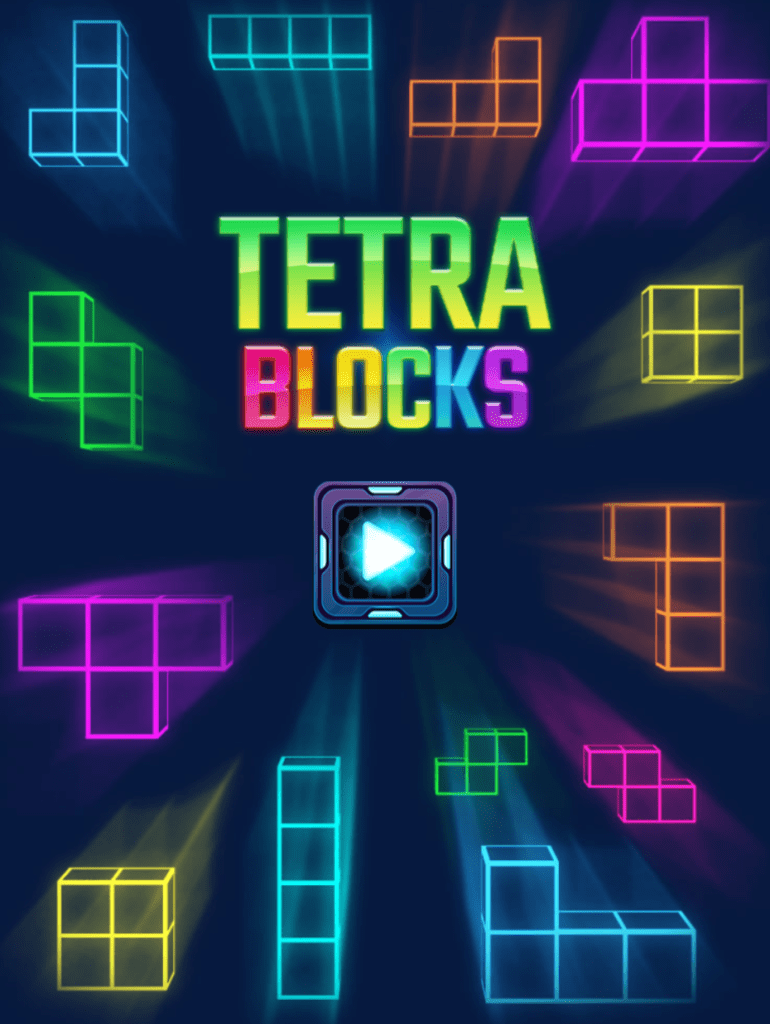
Once you’ve finished your great sea battle, head over to Tetra Blocks if you’re looking for more of a challenging puzzler. Different shaped blocks fall from the top of the screen and it’s up to you to correctly place them to prevent them from piling up. You can flip them and move them from side to side, and as you complete connecting rows across the screen the blocks will clear. Game play progresses faster and faster as you clear blocks and progress through levels. This type of game has been one of my favorites for many years, and I was pleasantly surprised to find it included here!
Last, and certainly not least, navigate to the Hidden Object Games and select China. Truth be told, each of the games in this section have the same objective – you have a set amount of time to find all of the hidden objects in each scene before you can progress. I just happen to like the look of the China Temple.
Did I Mention FREE?
If you’ve been following me long enough, you know my favorite price is FREE, and every game on Solitaire.org can be played for free! So if you’re looking for some classic games – card games, puzzle games, or word games – be sure to check it out. I’m sure you’ll find something you’ll enjoy just as I have. I’ve found myself playing these games often after work when I just want to wind down but without having to power up a game console and grabbing a hand held controller. Simply go to the site, pick a game, and start playing.
Check it out for yourself and let me know what you think!
* According to figures provided by Earthweb, a business and tech site that specializes in gaming, social media, and cryptocurrency.
Testing one, two, three. Is this thing on? Okay, so you did it. You have a great podcast idea. You know, you always wanted to start a podcast that you finally jumped into it. You have a great name, and you even have some topics that you know you’re going to cover, and you may even already have your cover art.
You’re good to go. Awesome. So, you start looking into, “how do I even start a podcast”? And then, eventually, you may have landed on something like Anchor which, by the way, my podcast Voluntary Input, if you didn’t know, is an Anchor podcast and Anchor is absolutely awesome.
And for me personally, it is the easiest way that I found to start a podcast because the simple thing about Anchor is first and foremost, it’s free. You can’t beat that! And secondly, Anchor does all your distribution for you. So when you sign up, as you may have learned, and you record your first episode, Anchor immediately starts working on distributing your podcast for you.
So you don’t have to do all that heavy lifting in the background. I don’t know if you guys have ever looked into how you distribute a podcast. Of course, you can do it yourself. It’s not impossible but it can be a little tedious and tricky. But like I said, the cool thing about Anchor is that they do all this for you.
All you have to do is create – which is what you want to focus on in the first place, right? You just want to record your podcast and get it out there. Awesome. Great. So again, you find the likes of Anchor. And yes, there are other services that are similar to Anchor.
I’m just partial to Anchor because it’s what I’ve been using for a long time now and I think it’s just simply easy and I love easy. That’s me. I don’t know about you but that’s what I love. I just love things to be simple and easy.
So you finally get to the point where you’re going to record your first episode.
And you think? Well, Anchor says I can do it right here on my phone. And then you do and you record your first episode or you’re sitting at your laptop and Anchor also says that you can record your episode right here. And so you go through recording your episode.
You hit all your points that you want to hit on your first episode. You think it’s great and it probably is. Your content is awesome. You get it all wrapped up. You even use some of Anchor’s tools – adding some background music, a theme song or some transitions. and you get it published.
The first thing you do is tell people about it, and you get people listening. Hopefully you get your friends listening, or a close friend or family member listening first ( but that’s another topic for another day) as to who you should. Let them listen to your episodes first. But anyway you let people listen or you invite other podcasters to check out your show and ask them to tell you what they think.
Now, for the most part you are going to get some genuine feedback. You’re gonna hear things like, “Man, your show was great! I love your content!”
You may get these comments, but you may also hear that your sound could be better. You know, people will try to be nice to you which is awesome. They’ll tell you the show itself was great, “But it’s just your sound, you know – it’s off”, and you may have noticed this yourself anyway because you probably already listened to a bunch of other podcasts, including some fellow Anchor podcasts.
And you think to yourself, “Wow, they sound great. I’m going to do whatever it is they’re doing too.” But then you notice that when you record, yours doesn’t sound as good as theirs does, and so then you try to look into why this is.
Let me give you the first truth that you have to understand about this.
First and foremost, those podcasts that you’re listening to, whether hosted and distributed by Anchor or not, the reason why they sound so good is they are not recording on anchor. In fact, they’re not recording on their cell phones. And they’re most likely not recording per se on their laptop.
The way you were doing it, where you just opened your laptop, went to the anchor website and started recording, they are not doing those things. And why is that? Well, that’s the heart of what I’m going to talk about with you today: equipment. Truth be told, you may have already realized while they’re using something different than you’re using.
And why is that? Well, let’s start with your laptop. More specifically, let’s start with the microphone in your laptop. You have to remember this simple thing about that, first and foremost – the microphone on your laptop was not intended for long form recording like a podcast. That’s right. So when you go to buy a laptop, there’s a gamut of them. There’s HP, there’s Chromebooks, there’s Dell, and so on and so on.
When those manufacturers are designing and building those laptops,they’re not thinking, “Oh and we’d better put a really good microphone in there because someone’s gonna be recording a podcast.” And no, not even Apple. So, if you’re thinking, “Well I’m going to go buy a Macbook because if I spend the money, and since everyone says the MacBooks are the best, I’m gonna get this great microphone to record my podcast.” No, you’re not. Because again, even with Apple, they are not focusing on the microphone. Then why are there microphones in laptops? Because those microphones are intended for things like short meetings or Zoom calls, Skype, and other things like that. Even long before those things existed microphones were put in laptops, only for short form recording or for conversations.
They are not intended for podcasts. They’re not intended for musicians. No one was intending to use a laptop microphone for this sort of recording.
Okay? You get that, and I don’t want to keep beating that point to death, but the same thing also applies to your phone.
You think, “Well, I recorded my podcast on my phone through the Anchor app, like a lot of other podcasters are doing right?” No. The podcasts that you’re listening to that sound really, really goodare not recording their podcasts on their phones. Because again, the microphone in your phone was not intended for long form recording.
When Apple is making the iPhone, or when Google is making the Pixel phone, or when LG or Samsung, or whoever or any of the Android phone models – when these companies are making these cell phones and they’re putting in microphones, they are not thinking about long-form recording.
Guess what? The microphone in your phone is for phone calls. Remember, phone calls? Yeah, I know. I just wanted to throw that in there on purpose because it seems nowadays most people don’t even make phone calls. Heck, I know people who barely even know how to talk on the phone anymore. But again that’s another topic for another day,
The point here being that the microphone in your phone was not intended for long form recording. It is not intended for podcasting.
But let’s say you figured that out.You’re like, “Yeah apparently that’s not what they’re doing.” Then you start seeing these podcasters either posting pictures of themselves in recording sessions. or they may even stream their recording sessions.
And you notice they’re using these great microphones, and they’re using these great mixers. And you start thinking, “Well, maybe I should get something like that”, and you start looking into it, You notice podcasters using popular pieces of equipment like the Rodecaster Pro, or the GoLXR or GoLXR Mini, which actually mostly gamers use but podcasters use them as well. In fact, I used the GoXLR for a long time myself. Finally you decide to grab one of those for yourself, and then it hits you. You look into it and you get sticker shock because the fact of the matter is, these things are expensive. They’re not cheap and you’re just starting out, and you’re probably on a shoestring budget. If you even have a budget at all.
And so, you begin feeling a little defeated at that point, so then you think, “Well, maybe I’ll go to eBay.” I want to caution you – do not go to eBay for these types of pieces of equipment. Because what you’re gonna find, especially in the case of something like a Rodecaster Pro, many people are listing them at retail cost.
If you finally decide to buy one, you’re going to want to buy it new. Thus, if you’re going to buy a Rodecaster Pro, go to a retailer like Sweetwater, or purchase it directly from Rode. Do not buy them from eBay because if you buy it off someone on eBay, you’re most likely not going to get things like the warranty. But most of all, if you’re going to pay retail price for something like that, why buy it off of someone?
But let’s say you’re not even anywhere close to affording that type of equipment, but you still want to get great sound. How do you go about doing that?
Let’s start with microphones. You may have already researched microphones and you notice that the microphones that a lot of more established podcasters are using are a bit more expensive than you even considered. There are the popular Shure microphones, the Rode microphones, and whatnot. Yes – these microphones can be on the expensive side of things.
You find yourself thinking once again, “Gosh, I can’t even afford those.” You realize your computer has USB ports, so you look into buying a USB microphone. This was the first thing I did as well, and I even did a blog post about the USB microphones I liked from FiFine which is a great USB microphone for only $20.
FiFine USB Microphone
But what you’ll quickly discover is, once you get a USB microphone and you plug it into your computer it doesn’t work. But why is that? Well, because USB ports are not intended for audio. USB ports do not power microphones. They are for the transfer of data, between the computer and things like flash drives or external hard drives. Not for audio pickup.
In fact, when I first started my podcast, that’s exactly what I used. I used Voicemeter and then I went on to Voicemeter Potato, (which I know sounds funny, but that’s what it’s called) and it worked out great. If you’re going to go the USB microphone route, it even has a built-in virtual tape deck that looks like an actual cassette tape. You can actually do all of your recording there.
So what do you do? Well, you can find yourself an audio interface that will make this work. There are free solutions available. There are free options out there. You may hear of something called Voicemeter, which is actually a great audio interface for using USB microphones.
But here’s the problem that you may run into there. Voicemeter requires a bit of a technical learning curve that you may not be into. Keep in mind there are some great YouTube videos out there, from set up how-tos as well as tweaks and best practices. This may work for you.
If you have that kind of time and patience, you’re going to relegate a laptop for recording your podcast, this may work out for you so you get yourself a USB microphone and set up Voicemeeter. Like I said, this was my setup for some time when I first started out – I carried a backpack with a laptop, and a few FiFine USB microphones. This may be your jam as well. But again if that’s not you, what do you do?
So this brings me to my main point. You can absolutely get good sound quality for your podcast for a little over a hundred bucks )and even cheaper in some instances). But how do you do that?
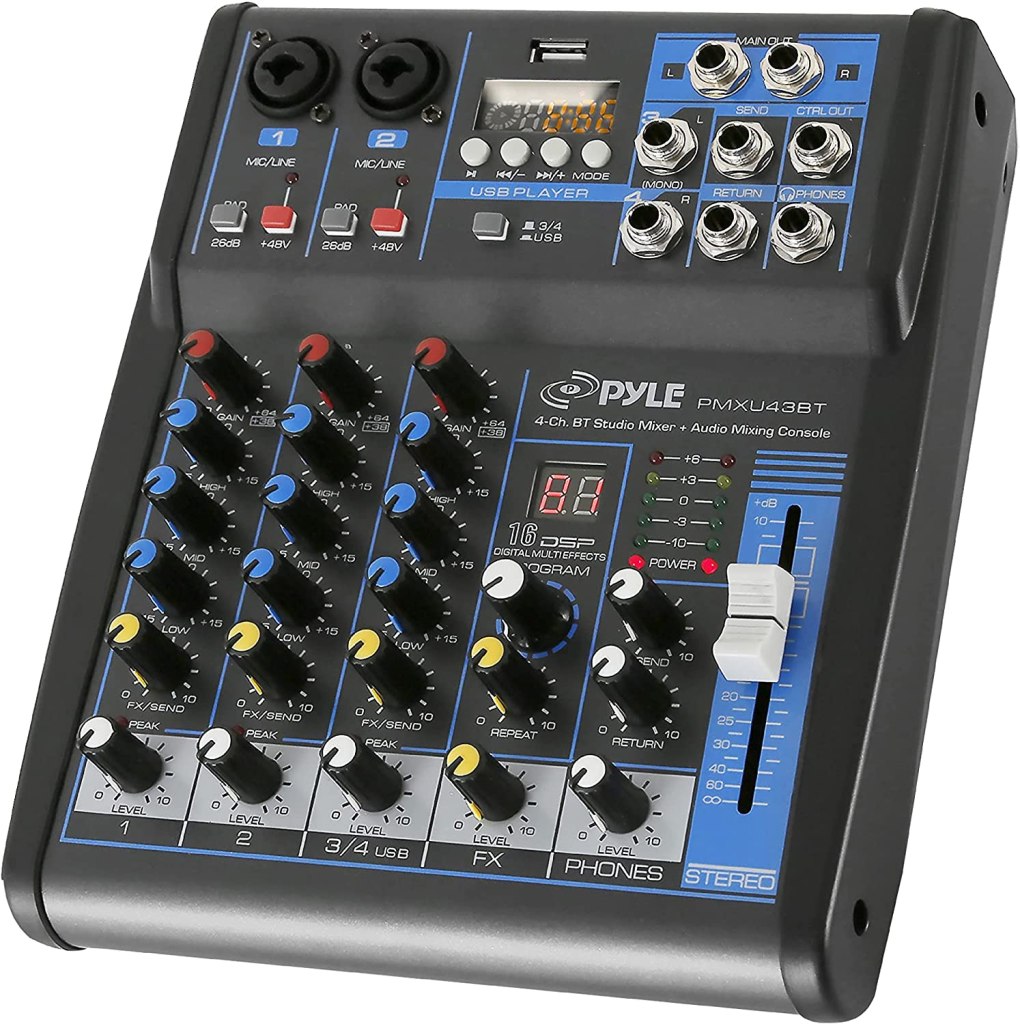
Well, first and foremost. grab yourself an audio mixer. The mixing panel I tend to suggest when asked for help is the Pyle PMXU43BT. First and foremost Pyle does not sponsor me. It would be great if they did, but they do not sponsor me.
Pyle PMXU43T
I am receiving no money dollars from them, but this is the kind of thing you’re going to want to purchase. If you want to get that great sound quality without breaking your bank. If you’re on a tight budget or if you, like me when I started out, have no real budget.
A quick side note to that – If you ever go to, or listen to and podcast startup workshops, one of the first things they’re gonna tell you is that you should have a startup budget. Create a budget stick within it. I do believe this is smart, but when I first started out, I didn’t start with a budget because I kind of knew what I was gonna be doing jumping in, and because quite simply it’s just the kind of nerd. I am, I already had some of this stuff laying around, so I didn’t really jump in with a budget.
Not that I’m rich by any stretch of the imagination, but I knew what I needed and I knew I could afford it. And as I mentioned, I already had some things on hand.
The best thing about this Pyle mixer, first and foremost, is that you can get a brand new one for $72.39 on Amazon. Even better than that, you can go to eBay, where I’ve seen them as low at $48. Now, remember earlier I told you don’t go to eBay to buy something like a Rodecaster Pro?
The reason being is that’s an entirely different ball game. The likes of the Rodecaster Pro or the GoXLR are entirely different pieces of machinery. Simply put, they are not your typical run of the mill audio mixers. Those are higher end pieces of electronic equipment, is the simplest way I can put, But when you are looking for a mixer like the Pyle mixer I’m referring to here, by all means you can hit up eBay because you’re more than likely going to get one that functions without running the risk of being out of loads of money.
Simply put, these mixers are your “basic mixers”. They’re not super fancy, but they get the job done and offer a good range of useful features. There’s no electronic PC interface. They’re not that higher end piece of electronic equipment like the more expensive offerings mentioned previously. So, how do you go about recording your podcast?
Well, here’s one of the beauties of this mixer and why I would tell you to get it when you’re first getting established. You’re gonna do all your recording on the mixer using a simple USB flash drive. You put the flash drive in the mixer and you hit record. You’re done. You’re good to go.
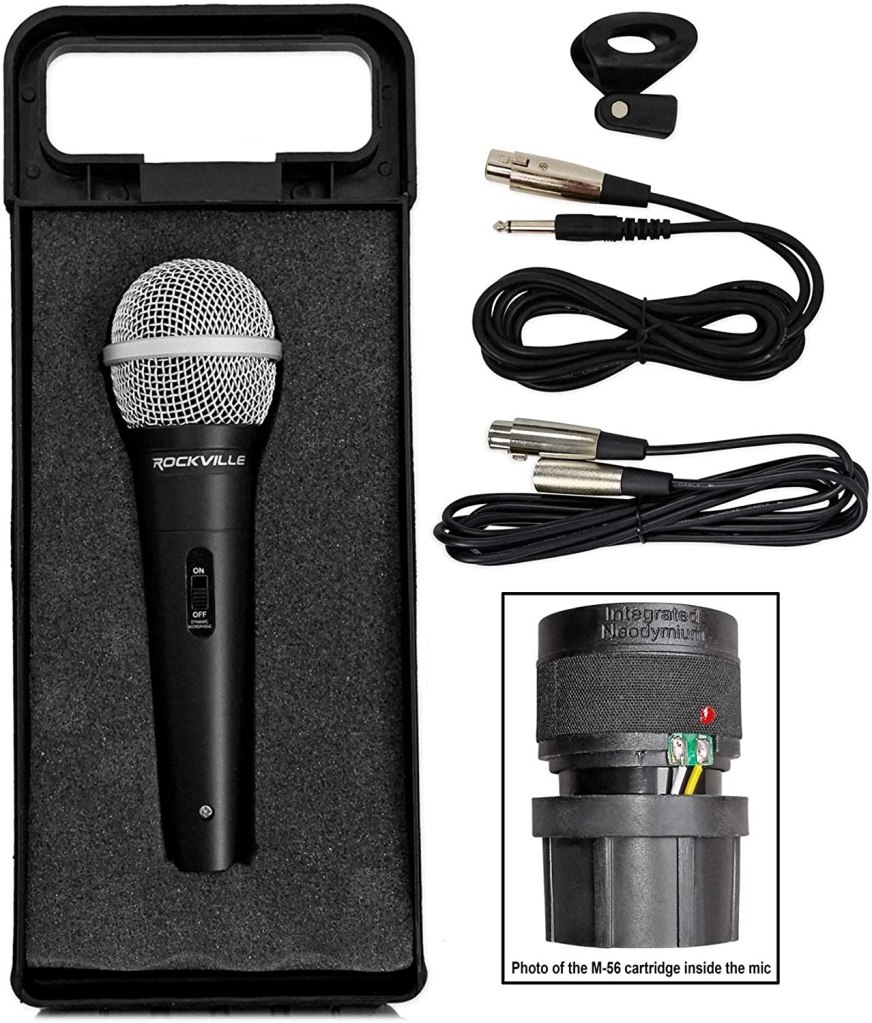
This mixer uses 2 XLR microphones, so just in case you have a guest one day you’ll need another microphone. We’ll get more into XLR microphones at a later date, but I always suggest that you get XLR microphones. You’re gonna get better sound quality with XLR microphones. Yes, there are some great microphones out there using the 3.5 millimeter jack, but the audio standard in most of the audio world is going to be an XLR microphone. You can look up all the tech specs as to why that is on your own time but I’m not gonna go into all of that here. And the great news is you can pick up a Rockville XLR on Amazon for just $24.95.
Rockville XLR Microphone
One great thing about this mixer is that it has built-in equalization, allowing you to make adjustments and tweaks to your overall sound giving you that great sound quality you’re striving for. You can add or remove base, treble, and midrange, depending on how your voice sounds.
There’s even effects. You can add echoes, reverbs and so on If you want to if you’d like to add such things to your podcast.
Remember a little earlier on I said to you that when you first start your podcast, you’re going to want to let someone else listen to it first. like a friend or a family member. This is a good standard practice for all podcasts, regardless of what level you’re starting in.
You’re going to want to have someone that you love and trust listen to it first, and for several reasons. Specifically, you’re going to want to ask them things like, “Am I clear on what I’m talking about? Does it make sense, and is it coherent? Do you think this is a show that, if you did know me, would you come back and keep listening?” You’re going to want to ask things like that because you’re going to want to ask someone close to you that you love and trust to get their honest opinion.
I’m not gonna lie to you, I just jumped in and to be honest my feelings didn’t get hurt. But if you look around the podcast community, especially if you look into the bigger, more established indie podcasts on up to large network podcasts, they’re gonna want to tell you that yes, you’re going to want to get that honest feedback first before you continue forward. But hey – you do you. But I do agree with this approach overall and I suggest getting that honest feedback if you can.
Another reason why you’re going to want to have someone listen first is that when you power up the mixer, you’re going to notice the sound is muffled and quiet. That’s because when you buy this mixer and first take it out of the box, you have to set it up to fit the sound of your voice.
As a matter of fact, when you first take it out the box, all of the EQ settings are set to 0. You’ll need to hook up your mic and headphones, and begin speaking until you hear the sound you’re looking for while making necessary EQ adjustments. Then, make a recording of yourself speaking. Try reading a passage from a book or a news article. Record yourself speaking as you plan to do on your podcast going forward.
Then. take that recording that you just made on your flash drive and either have that trusted family member or friend listen to it directly there or give them the flash drive and ask them to plug it into their computer to take a listen and tell you how you sound.
Because another important thing I’ve learned over the years from audiologists and other sound professionals is that the way we hear ourselves when we speak isn’t actually how others hear us. This is why a lot of times people say they hate the sound of their voice whenever they hear themselves speak on recordings. There is nothing wrong with the sound of your voice. Trust me, You sound great, but if you start messing with equalization, you may tweak it to a point of where you think you sound and it may actually sound odd. Just remember the way you think you sound, the way you hear yourself, isn’t always the way everyone else hears you – the way you actually sound. So you’re going to want the person you have doing the listening test for to tell you if the EQ adjustments you’ve made sound true to the sound of your voice.
Now granted you may not get it 100% perfect and that’s fine. But actually, what you’re looking for is you want that person to give you that honest feedback.
So now that you’ve got the mixer, you’ve got the microphone, you’ve got everything EQ’d out properly, you sound good – your friend or family member has told you that you sound good. Go ahead and record your next episode. Do the full recording. Once you’re done, unless you want to do this, I would suggest don’t just pop that flash drive in your computer and start uploading it up to anchor because the thing is that even though Anchor, offers editing tools, you may notice that it can be a bit cumbersome and a little more time-consuming than you’d like. What you’re going to want to do is use a free audio editing tool that you probably may already be using, or you may have noticed that the vast majority of podcasters use this.
I’m of course referring to Audacity, It is free, simple, and loaded with all kinds of tools. A lot of tools you may not even understand but you don’t need to understand them all for it to be a very powerful and useful tool to have in your podcast arsenal. There are plenty of great tutorials to help you get started with the basics, and you may hopefully learn in time.
In fact, later on at some point we’re gonna do a deep dive into audacity, exploring some of the tips and tricks that I think are helpful to podcasters and absolutely help me all the time. But first and foremost, go ahead and plug that USB drive into your computer and get Audacity loaded up.
When you open audacity, all you have to do is go to file and import and have it import the audio off of your USB drive into itself. This is where you’re going to edit your episode. This is where you’re gonna do all of those things (and more) you were trying to do on Anchor and may have gotten frustrated.
Now again we’ll do a deeper dive into Audacity and all of the awesome editing tools that you can use that you may not even be aware of. But for the most part, let’s say there’s a whole segment that you don’t want in your podcast. With Audacity, you can simply highlight it and delete it.
Once you’re finished with all of your editing, you simply select “file” and export as mp3. You can name it and enter any details in the detail window that comes up and then you export it onto your computer as an mp3. Then, you’ll upload the exported file (or files if you have more than one to add to an episode) to Anchor. Again – we’ll do a deeper dive into all of this at a later date. The purpose of this article is to get you some affordable audio equipment to get the quality sounding podcast that you hope for.
I hope this info helps. If you have any questions or comments, please don’t hesitate to visit Voluntary Input and select “Contact”. We’d love to hear from you!
On June 11th, 2021 I had the honor of witnessing the retirement ceremony for my nephew, Master Sargent Elliot Dangerfield. I am proud beyond words of all he has accomplished as a man of God, husband, father, and defender of our freedoms through 22 years of humble sacrifice.
There were those who spoke of Elliot’s service time in the corps, as well as his time to speak in which he thanked family and friends. This all culminated with a flag being presented to him by fellow Marines. But for me, one of the greatest “lump in my throat” moments came when he was relieved of “The Watch”. If you have never experienced this, my hope is that someday you can – it’s really moving (either that, or I am just a big sap!)
I want to send out my deepest heartfelt thanks to Elliot for his time actively serving our country, and to let him know how proud I am of him. Also, a huge thanks goes to his wife Leticia, as well as their children, for supporting him through all these years. I love you all, and can’t wait to see the amazing things God has in store for you!
 While Artificial Intelligence dominated headlines in 2024, the year saw a wealth of technological advancements that didn’t rely on algorithms and neural networks. These innovations spanned diverse fields, from medicine and energy to space exploration and consumer electronics. Here’s a look at some of the most noteworthy AI-free tech breakthroughs of 2024:













 Leo J. Allen Jr